Time tracking for people who sell their time, solo or as a team
Track time without thinking.
Know what every project really pays.
unodos is the fastest way to log your hours: one tap to start, one to stop. From those hours it tells you, without spreadsheets, which projects are worth it and which ones are eating your month.
No card needed. Then 5 € a month or 40 € a year. The app is in Spanish for now.
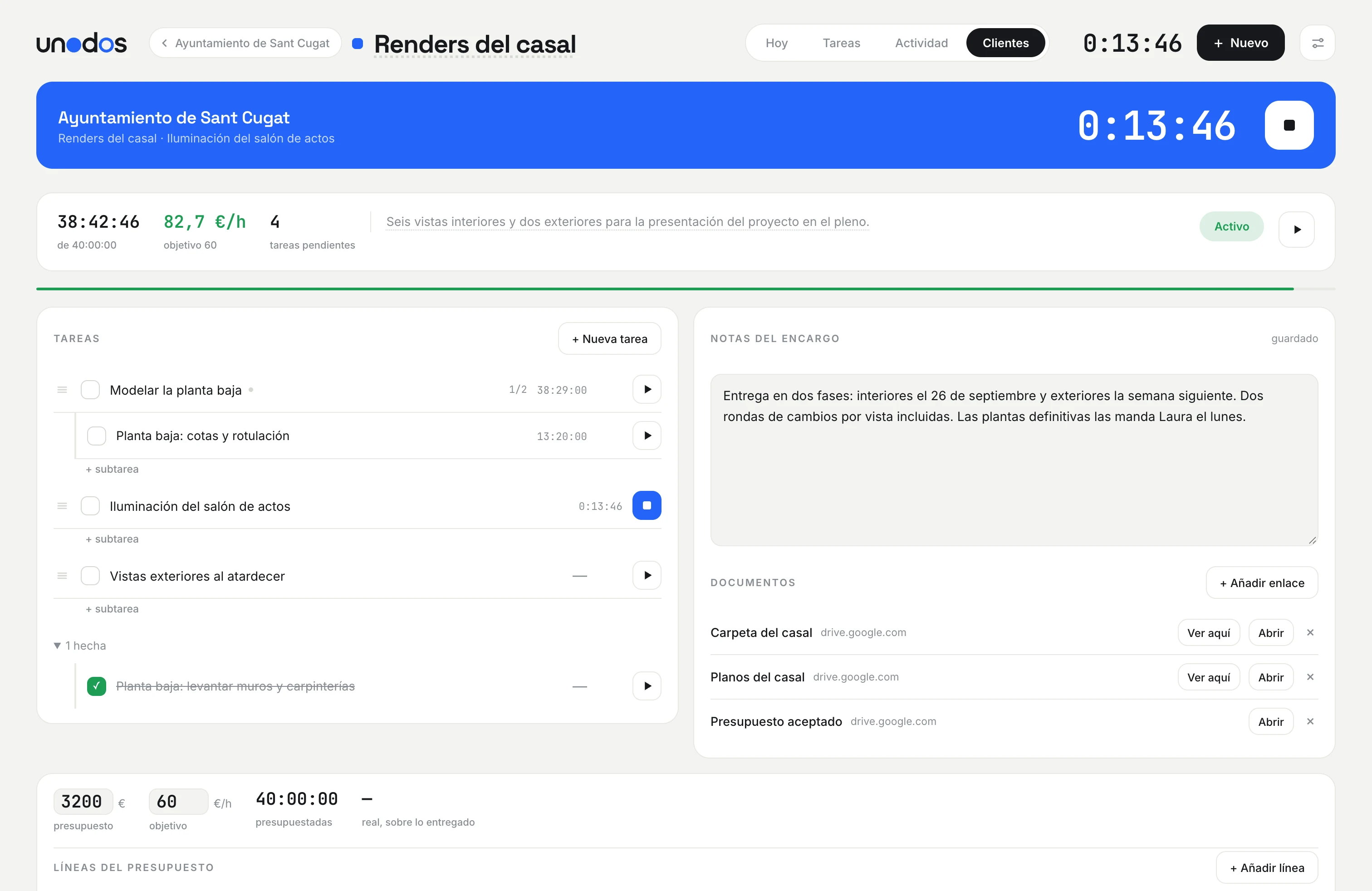
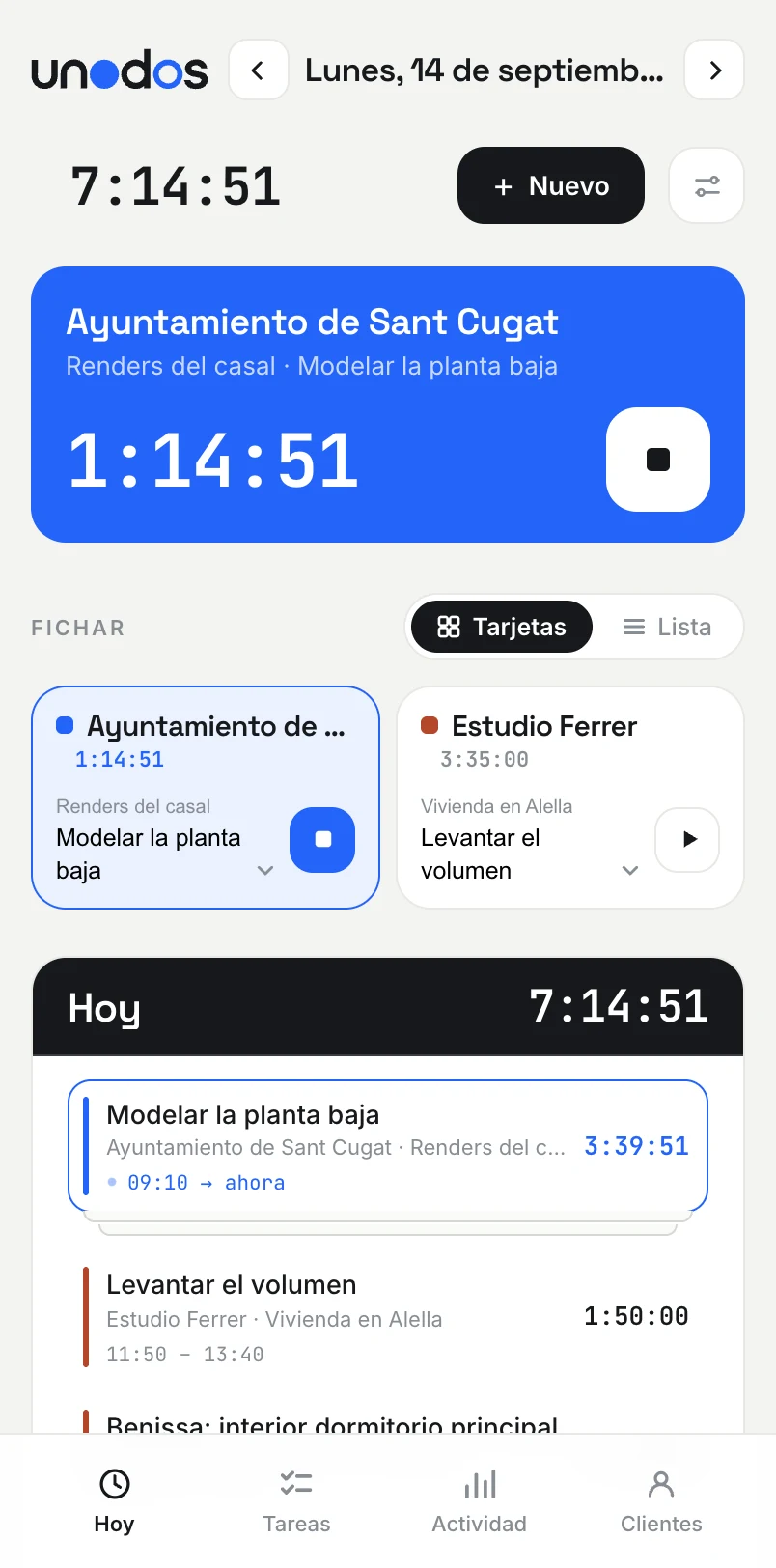
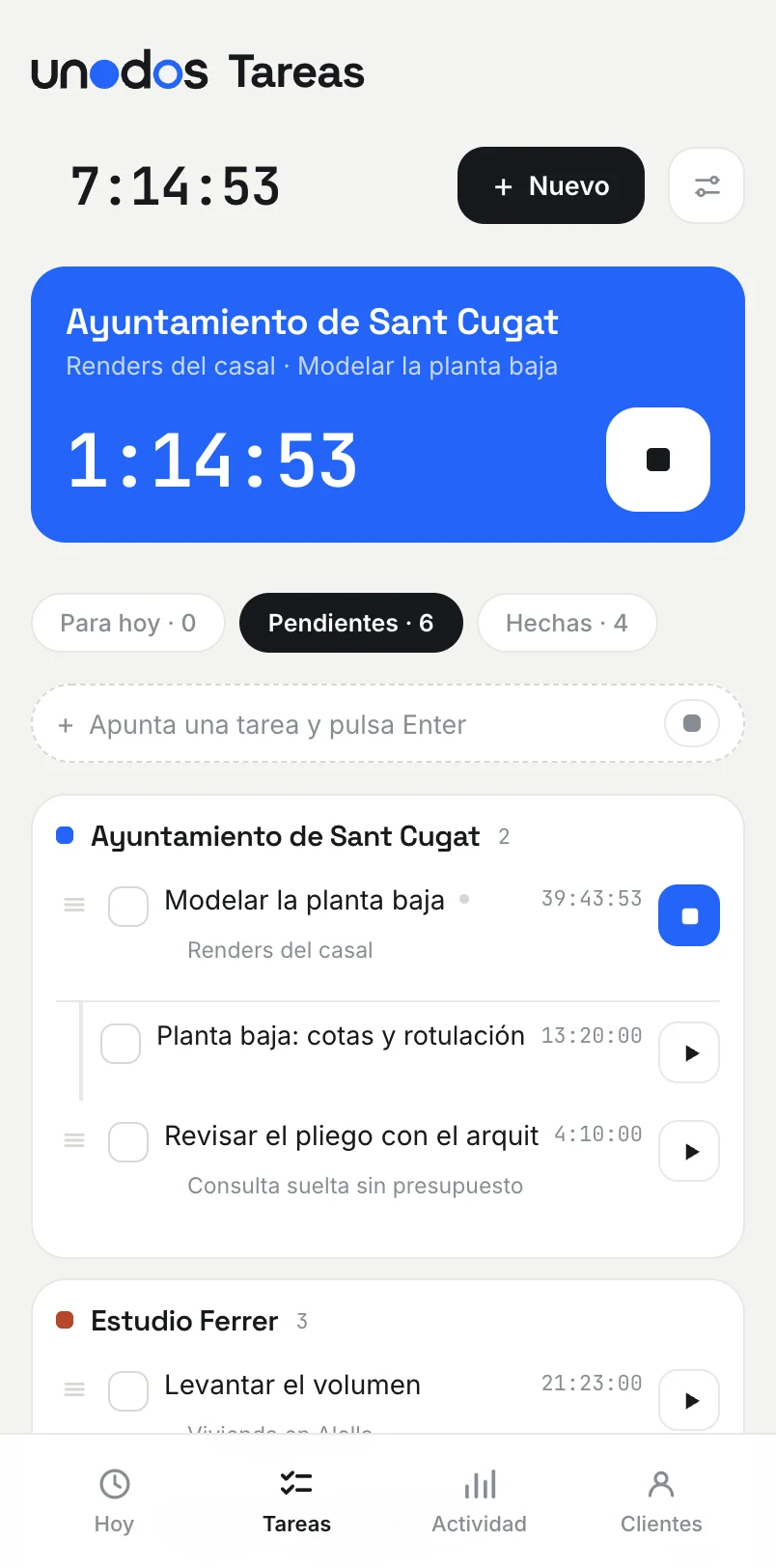
Pick a client and a task and press play. Forgot to stop? Fix it in a second. The time is counted on the server, so it keeps going even if you close the laptop.
Every block of time shows up at the hour it happened, week by week. What felt like “a morning on this” shows up exactly as it was.
Enter what you charge for each project and unodos works out your real hourly rate, and warns you when a project starts running over its hours.
Profitability
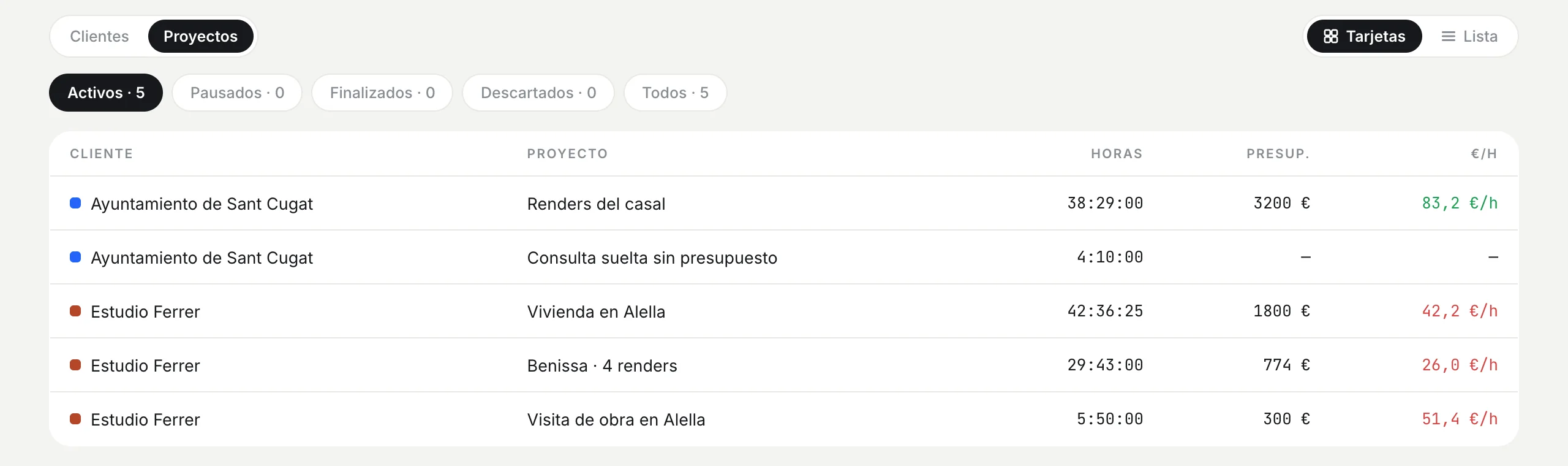
The hourly rate of every project, no maths needed
All your projects together, with the hours they have taken, what you charge and what it works out to per hour. Green for the ones going well; red for the ones worth a second look before you accept another one like it.
Activity
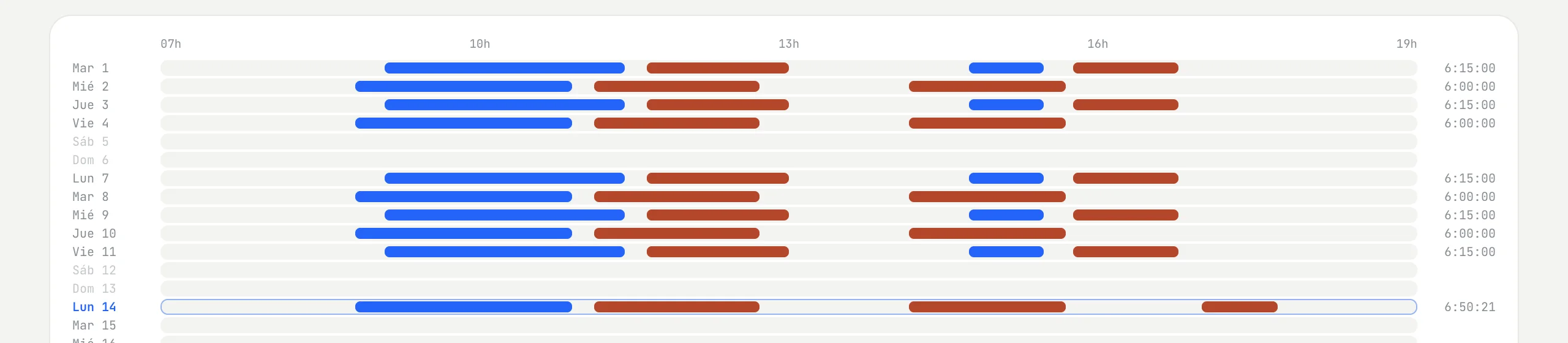
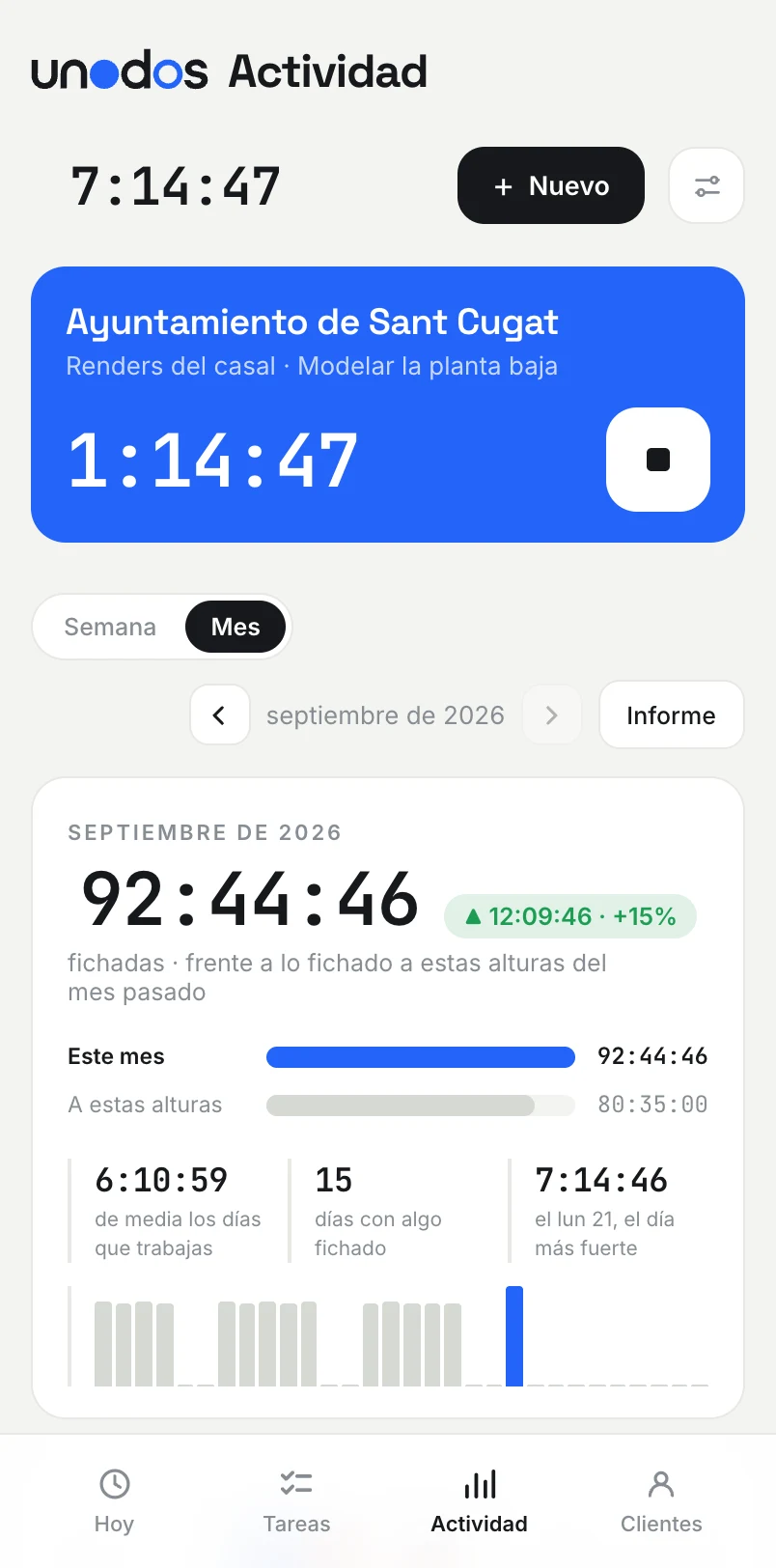
Your month, block by block
Each strip is a block of tracked time, in its client’s colour. At a glance you see which days were productive, when you really work and how much each project took.
Teams
On your own, or with the whole studio
Create a team and invite your people: everyone sees the same clients, projects and tasks and tracks time on them, each with their own timer. A project’s hours are everyone’s, and each person sees their own alongside.
Money is private by default. Budgets, prices and profitability are visible to you and to whoever you choose, person by person. And your own space stays yours alone.
If you work alone, none of this shows up. unodos is still just play and stop.
On the iPhone and the Mac
The same timer everywhere
Start on the laptop and stop from the iPhone: it is the same timer, and it keeps running when the phone is locked. Add it to the home screen and it opens like any other app, no app store involved. On the Mac, an optional app puts the timer in the menu bar.
With your AI assistant
Ask Claude or ChatGPT
Connect unodos to Claude or ChatGPT and manage your time by talking: start the timer, log the afternoon you forgot to track, add a client with its tasks, or ask how much each project is really paying. Whatever it does shows up in the app straight away.
It is a remote MCP server with OAuth. Optional, and you connect it with a key you create in Settings and revoke whenever you like.
How to connect itStart the timer on the ground floor model
Running since 9:10: Modelar la planta baja, in Renders del casal.
How is the Alella house going?
You have spent 41 h 46 min of the 30 you budgeted. At 1,800 € that is 43 €/h, below your 55 €/h target.
Pricing
One plan, per person, everything included
- Unlimited clients, projects and tasks
- The app on your computer, your phone and the Mac menu bar
- Profitability and activity for every project
- Teams with per-person permissions, no minimum size and no separate plan
- Connection with Claude and ChatGPT to track time and ask by talking
- Your data, downloadable whenever you want as CSV or JSON
VAT included. No card needed for the trial, cancel whenever you want. A team pays with one card, the owner’s: a studio of three is 15 € a month.
Questions
Is unodos available in English?
Not yet: the interface is in Spanish. It is simple enough to use without much Spanish (a play button, a stop button, clients, projects and tasks), and the assistants answer in your language when you connect it to Claude or ChatGPT.
What happens when the 30 days are over?
Nothing is deleted. You can still see and download everything, but you need a subscription to track time again. Nothing is charged unless you subscribe.
Is my data mine?
Yes. It is stored on servers in the European Union, nobody else sees it, and you can download all of it from Settings. If you delete your account, it is deleted too.
Does it work for a studio with several people?
Yes. Create a team from Settings, invite each person by email and everyone works on the same clients and projects. It costs the same per person as a solo account, with no minimum, and the team gets its own 30-day trial.
How is it different from Clockify, Toggl or Harvest?
unodos does less, on purpose: it is built for tracking with zero friction and for knowing the real hourly rate of each project, not for invoicing or big-company reporting. It is aimed at architects and freelancers who sell their time, and it can be used by talking to Claude or ChatGPT through its own MCP server with OAuth.
Do I need to install anything?
No. unodos runs in the browser. On the iPhone you add it to the home screen and it opens like an app, and on the Mac there is an optional app with the timer in the menu bar.